Impactpool Talent Pool is a unique service to help you overview the alternate recommended talents/consultants that you assessed and recommended for a job. Contact sales@impactpool.org to set up a demo.
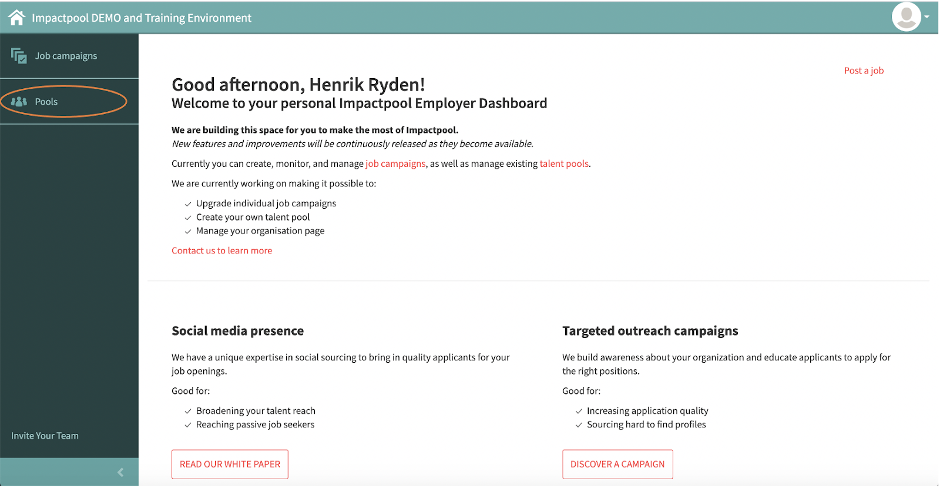
Step 1: To invite a new endorsed talent/consultant, start to press the Pool button in the left sidebar (marked in orange below).
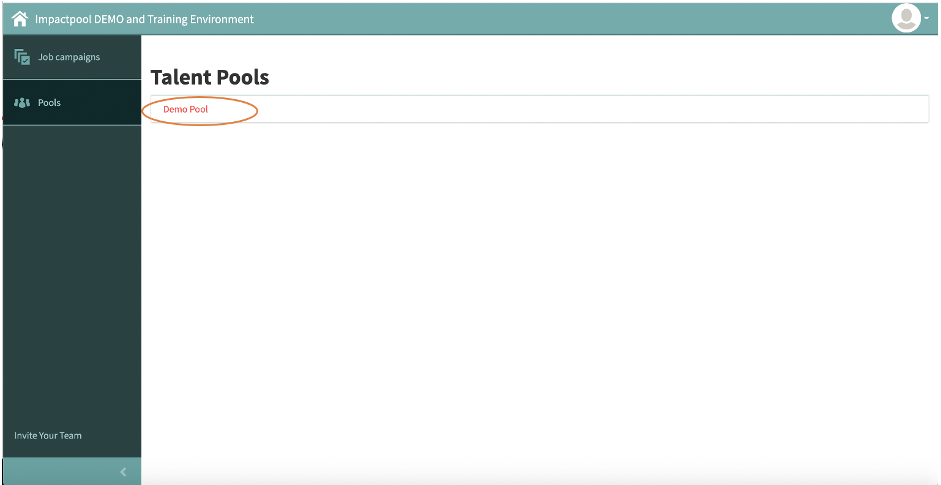
Step 2: Select the preferred pool and press the Title of the pool (marked in orange below).
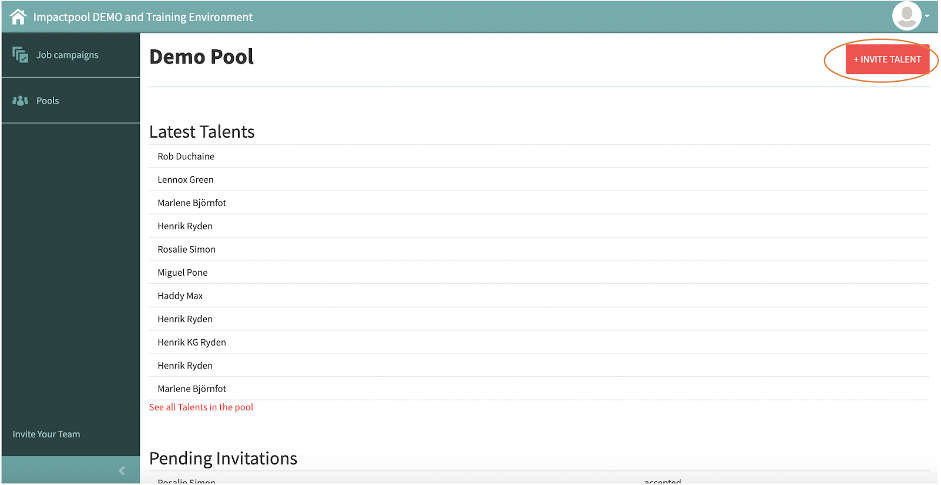
Step 3: To Invite a new talent/consultant, press the red [+INVITE TALENT] button in the upper right corner of the screen (marked in orange below).
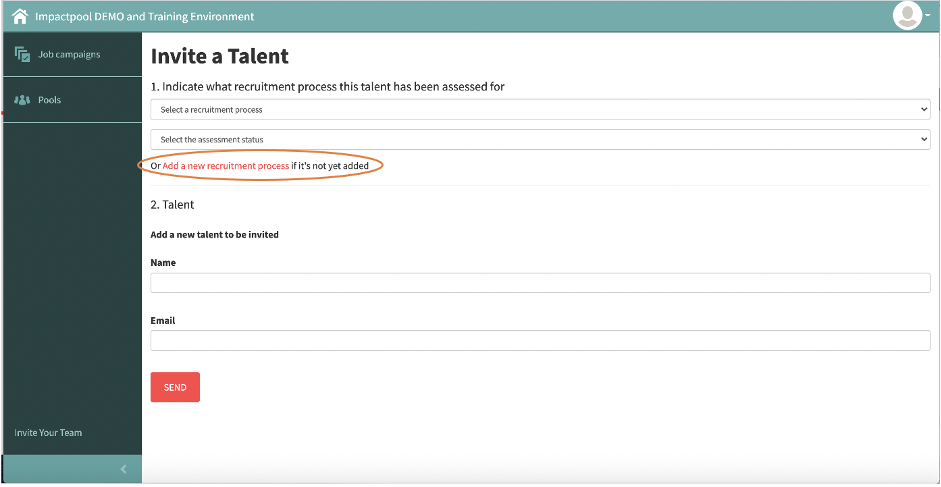
Step 4: Start to create the job/consultancy that the talent/consultant has been endorsed for. Press the link [Add a new recruitment process] (marked in orange below).
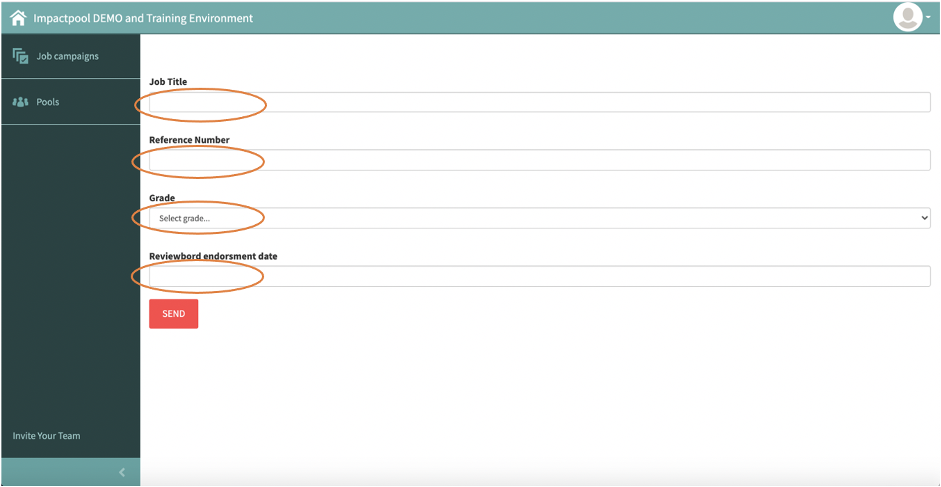
Step 5: Fill out the marked fields below and press [Send].
Tips when inserting titles. Use the generic job title or consultancy title. Spell out words in the title and avoid using abbreviations.
See best practice Job Titles below:
Write [AND] instead for [&]
Spell out [Human Resource Analyst] instead of [HR Analyst]
Spell out [Monitoring and Evaluation Specialist] instead of [Monitoring & Evaluation Specialist]
If you are several organizations sharing the pool, see below tips for inserting the Reference Number. Start the reference number with the short for the organization.
See best practice Reference Number below:
Include the organization name [ICRC-27782] instead of only [27782].
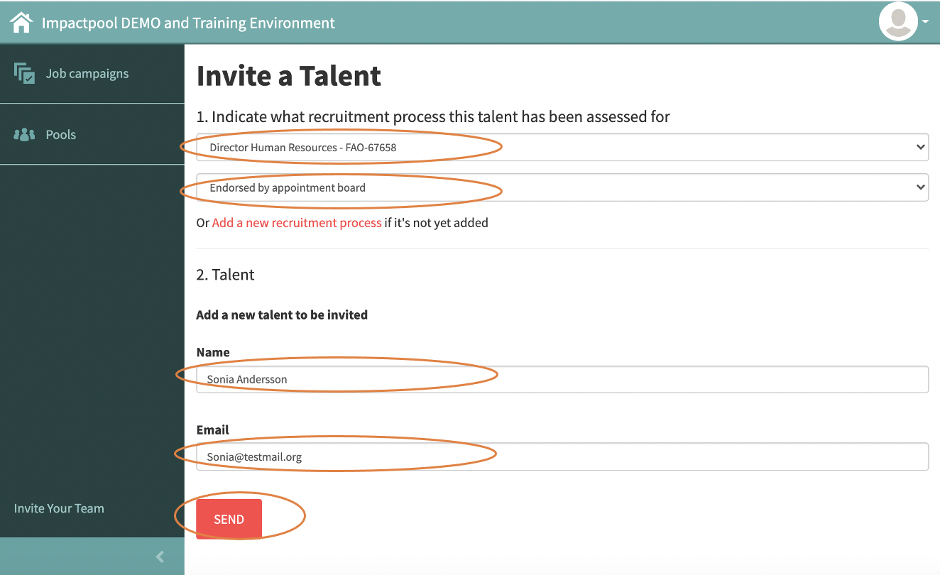
Step 6: The next step is to send the invite. The below screen is divided into two sections.
Section 1: Select the job that you created in Step 5 above. Continue choosing the assessment status (most often endorsed).
Section 2: Add Name and E-mail of the new talent/consultant.
Press [Send] and an e-mail invitation will be sent out to her/his/ze.