To learn how to navigate to view candidates screen, read the article - How to screen applicants in Impactpool Recruit™?
Step 1: To narrow the list to the desired audience, it is recommended to use filters. To get an excel list with all shortlisted candidates, use the Status filter and select [Shortlisted]. In the sample below, the filters [Not under consideration] and [Longlisted] are chosen.
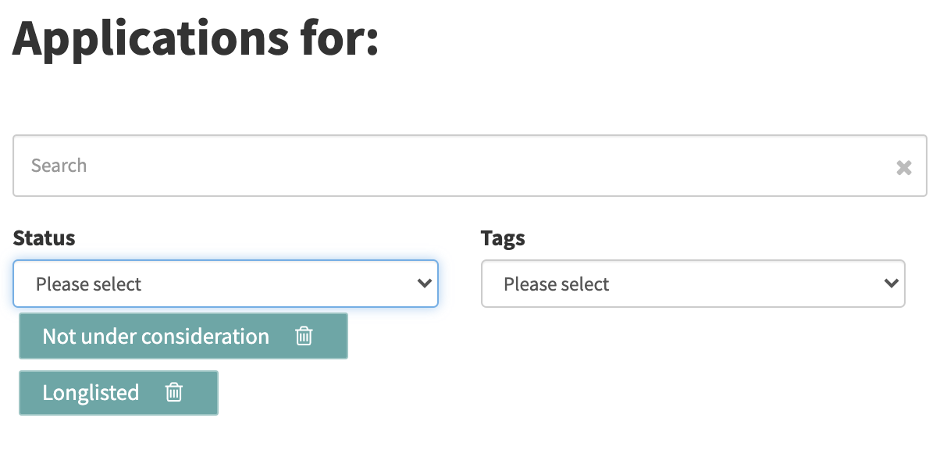
The excel list mirrors the data that you have on the screen, so if you choose to not add any filter you will get a list of all applicants.
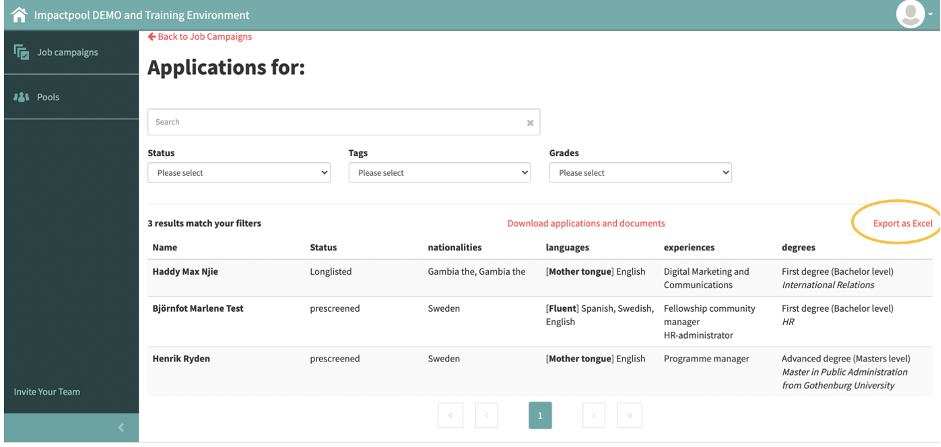
Press the excel link (marked in orange below) to generate the excel.
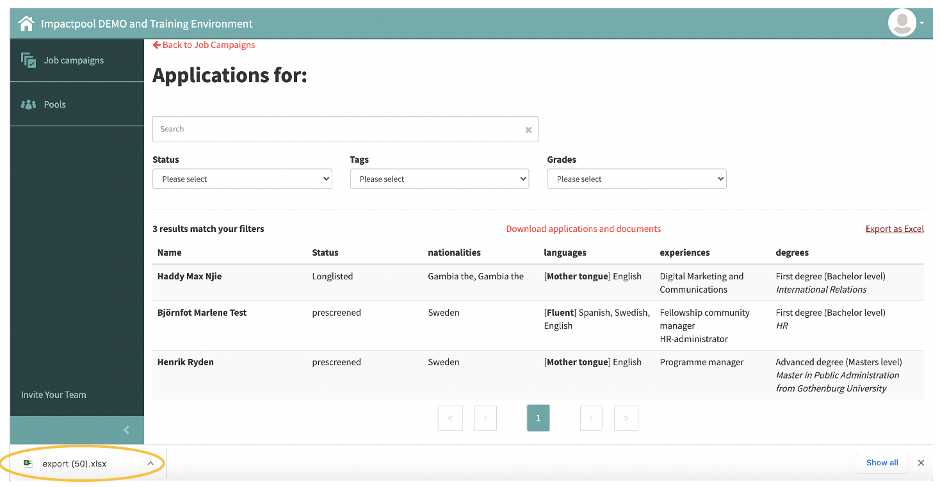
Step 2: The excel file is generated, this file is generated in chrome and the file is viewable and accessible in the footer of the screen (marked in orange below). Depending on the browser it may appear differently.