When posting a paid/upgraded job on Impactpool, the job is always included in the job alert. The job alert is sent to candidates in the Impactpool talent ecosystem who have indicated a preference/interest in the type of job posted.
Note: Free jobs are only included if available slots are left in the job alert.
The Booster campaign takes the AI matching to another level. When a job alert is sent to candidates with a preference/interest, the Booster campaign is sent to all candidates who meet the eligibility and minimum requirements. The Booster campaign checks the candidates':
expertise areas (job functions)
education
work experience
seniority level
years of experience
nationality (even linked to an organization's member states)
interest and preferences
The candidates are ranked based on a point system, and the booster campaign is sent to the best-matched candidates meeting the specified minimum requirements and have a profile that aligns with the job description.
How to send a booster campaign?
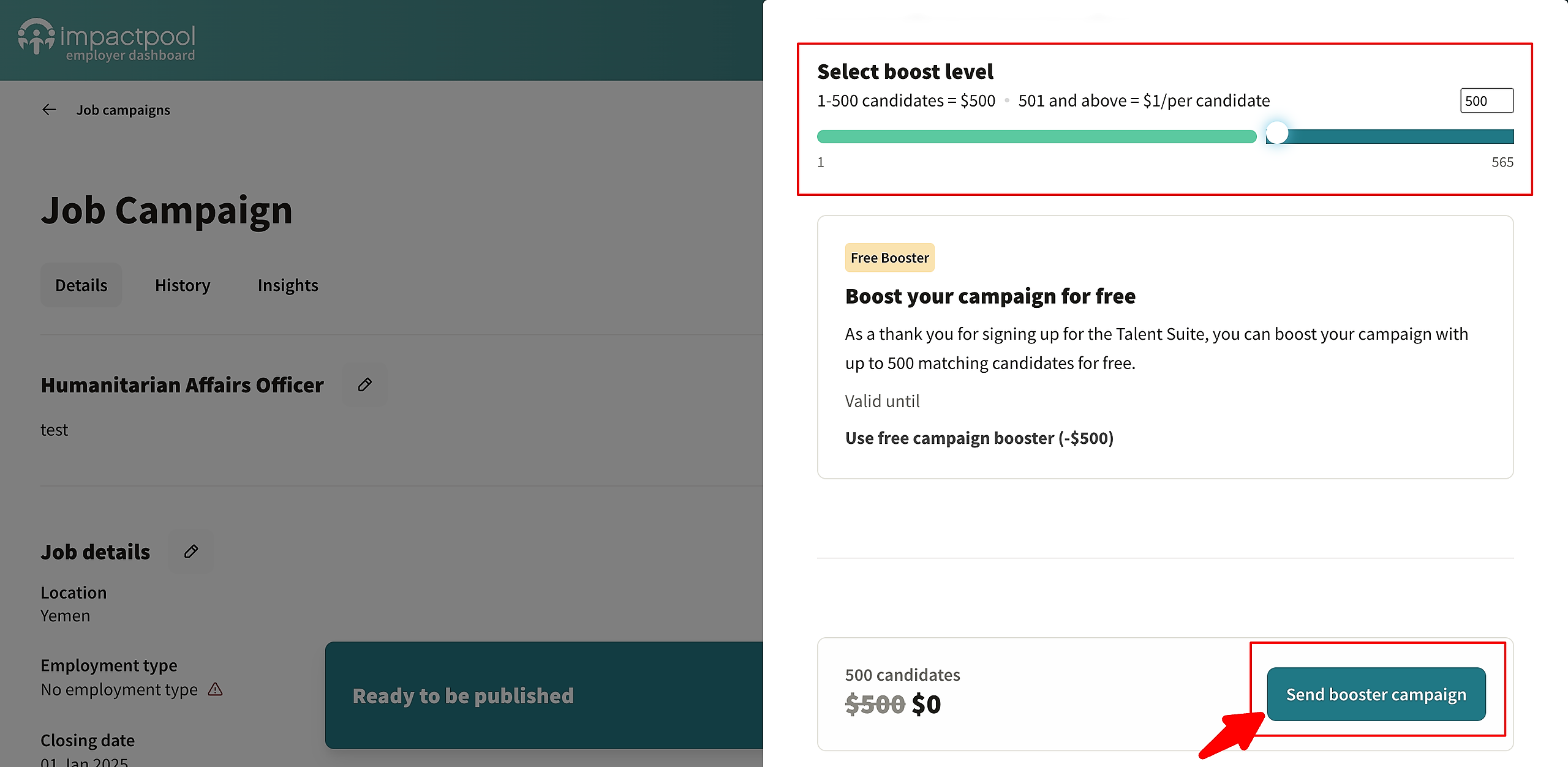
The booster campaign appears automatically when you reach the final job posting screen - the summary screen. In the screenshot below, the booster is highlighted with a red frame.
Within the frame, you can see how many candidates match the job you have posted.
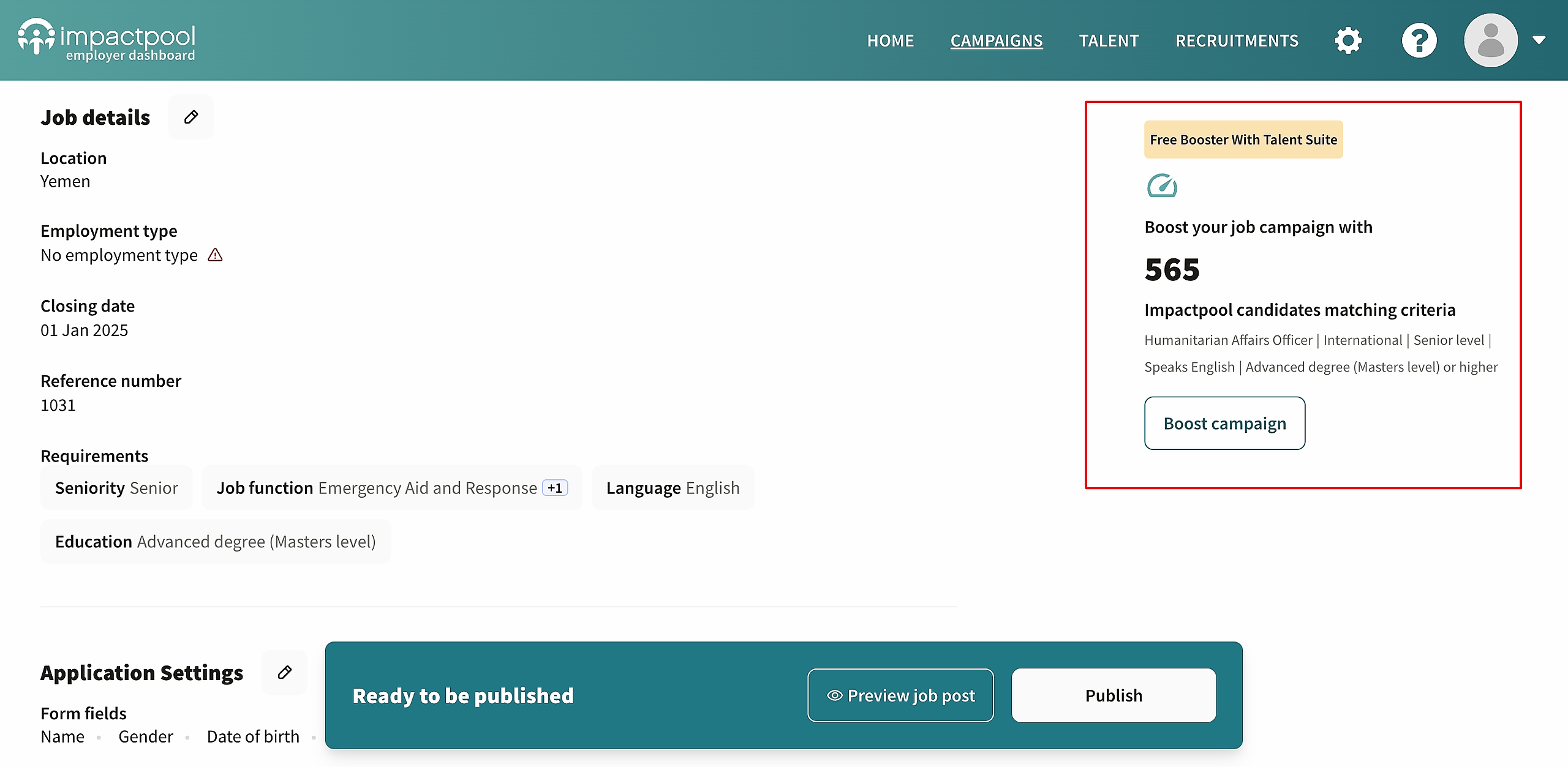
If you have a Talent Suite or are on a Talent Suite trial, your first Booster Campaign is free. The booster has a base price for the first 500 candidates and a volume-based unit price for additional candidates beyond 500.
To boost a job, click the Boost campaign button.
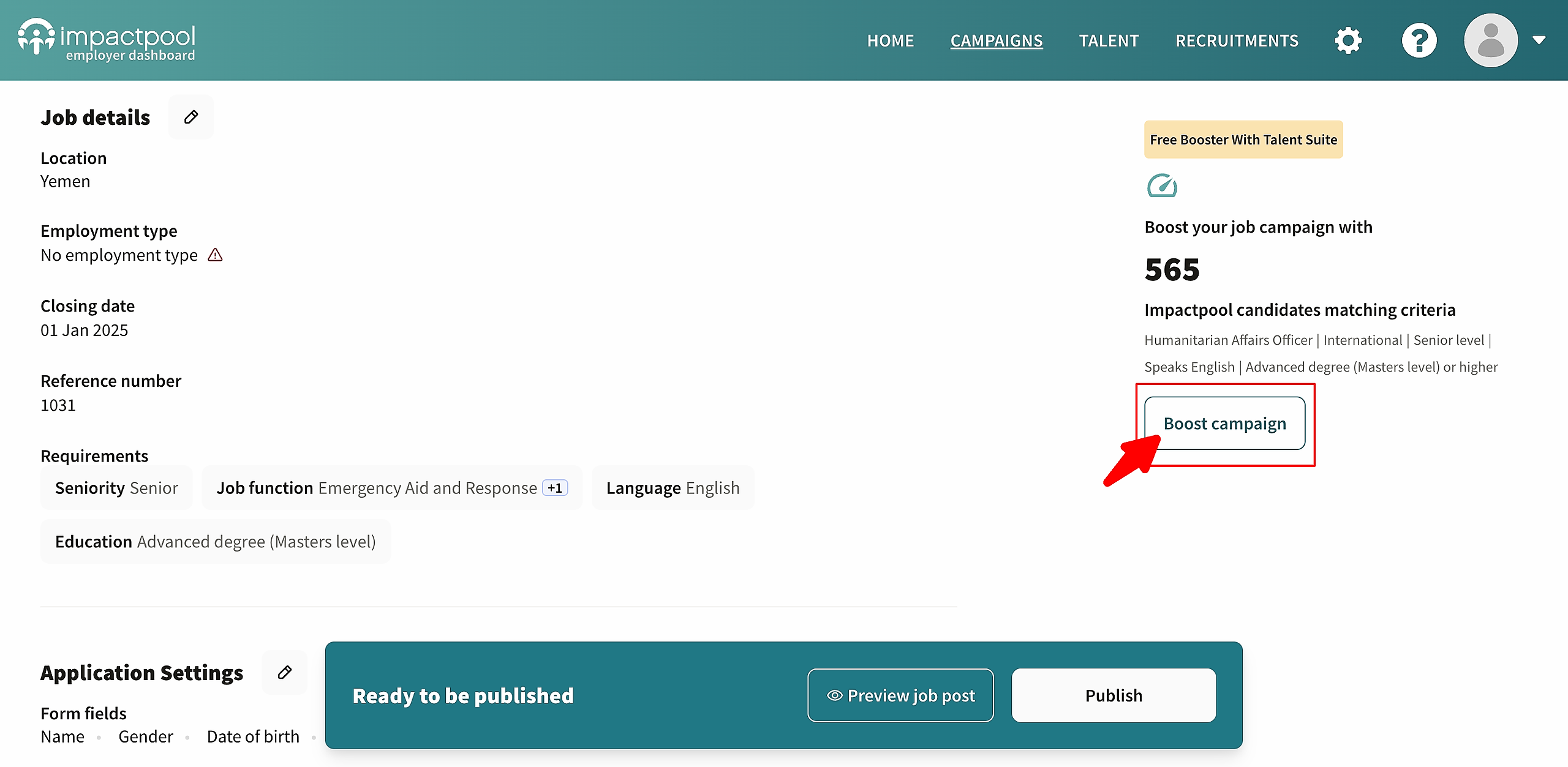
A new window will open with a slider (marked with a red frame) to decide the number of candidates to send to. The price will be based on the selected volume of candidates.
Press the [Send booster campaign] button to send out the booster message. The message will be sent out with your organization's logo and your organization's name.