

Impactpool Recruit

Impactpool Recruit

ATS - Impactpool Recruit

Job report | How to check that my job is reaching the right applicants?

Impactpool offers two report levels, one aggregated for your whole organization's all jobs and one report at the job level. This user guide focuses on the report at the Job level. To see more detailed reporting is available for clients with a paid Impactpool plan only.

Last updated on 16 Feb, 2026

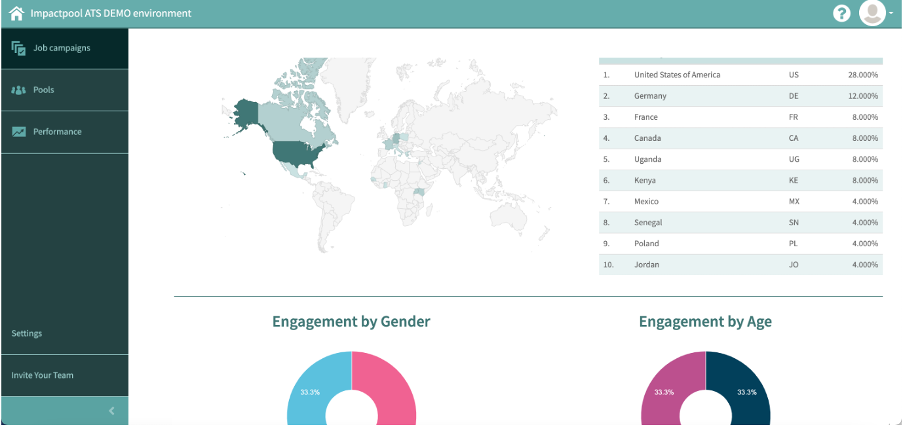
Through your Impactpool dashboard, you can monitor how well the job is reaching the right audience. The Impactpool report includes views, apply clicks, gender, age, and geographic diversity.

The report is providing you with live data, to allow you to better monitor the effects of your outreach efforts.


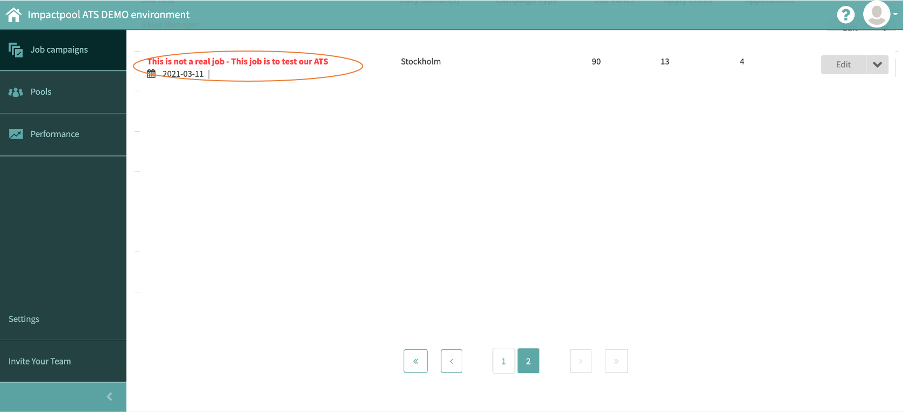
Step 1: Press the title of the job you would like to get stats for (marked in orange below).
Image


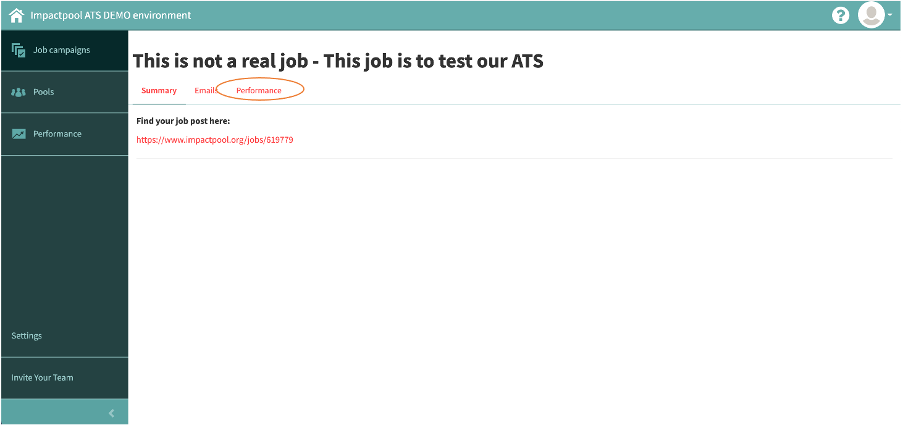
Step 2: Press the [Performance] button (marked in orange below).
Image


Step 3: The Performance report is automatically generated
Image


Was this page helpful?
Previous

Find the unique job URL | Where to find the live job link on Impactpool?

Next